How to Center a Div in CSS – 5 Quick Methods
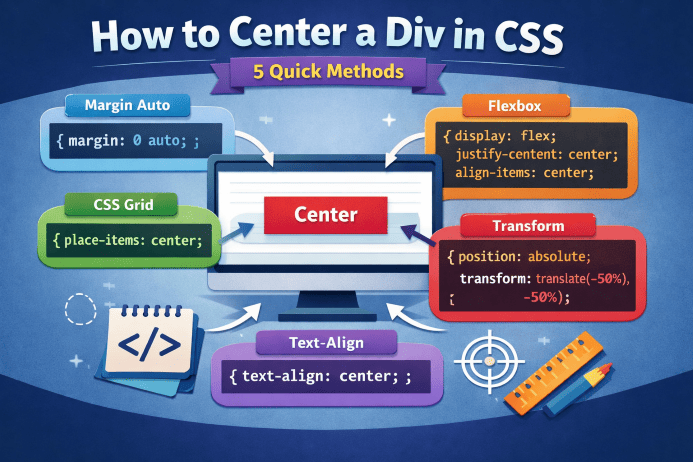
Centering an element in CSS is one of the most common tasks, but also one that often confuses beginners. Whether you want to center a button, a block of text, or an entire container, there are several simple and effective ways to do it. In this quick guide, you’ll find the 5 most popular techniques, clearly explained with practical examples.
1. Horizontal centering with margin: auto
This is the simplest method when the element has a defined width. It works only horizontally.
<div class="box">Content</div>.box {
width: 300px;
margin: 0 auto;
background: #eee;
}When to use it: when your element has a fixed or maximum width.
2. Full centering with Flexbox
Flexbox is one of the most modern and elegant ways to center content both horizontally and vertically.
.container {
  display: flex;
  justify-content: center;
  align-items: center;
  height: 300px;
}
When to use it: when you need perfect centering in both directions.
3. Centering with CSS Grid – the shortest method
CSS Grid allows full centering with a single line of code.
.container {
  display: grid;
  place-items: center;
}
When to use it: when you’re already using Grid or want the fastest possible solution.
4. Centering with text-align: center (for inline elements)
This method works only for inline or inline-block elements, such as images, icons, or buttons.
.parent {
  text-align: center;
}
When to use it: for inline or inline-block elements.
5. Absolute centering with transform
A classic method, useful when you need precise positioning — for example, for a popup or loading message.
.box {
  position: absolute;
  top: 50%;
  left: 50%;
  transform: translate(-50%, -50%);
}
When to use it: when you want to center an element on top of another.
Conclusion
There are many ways to center a div in CSS, and the right method depends on the context. For most modern layouts, Flexbox and Grid are the fastest and most elegant solutions. If you only need horizontal centering, margin: auto remains a simple and effective option.





Be the first to comment!