High-Level Features Every Web Developer Should Know
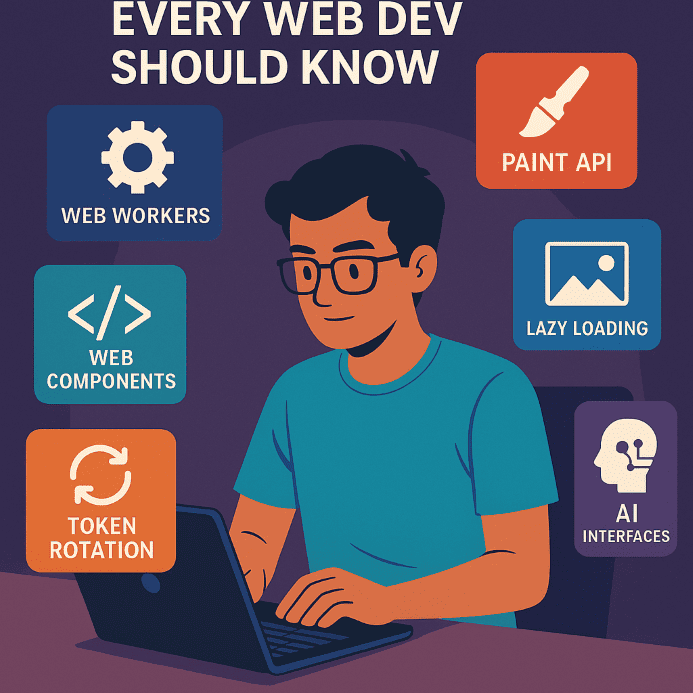
In 2025, web development has evolved from simple code to complex architectures, and it's the advanced functionalities that separate professionals from amateurs. In this article, you'll discover those “next-level” features that experienced developers integrate into real-world projects — and which you should start learning today to use tomorrow.
1. Web Workers — Background Speed
Move intensive calculations to separate threads and keep the UI fluid:
// main.js
const worker = new Worker("worker.js");
worker.postMessage("Start");

// worker.js
self.onmessage = function(e) {
  // Intensive processing
  postMessage("Done");
};
Perfect for heavy tasks — without blocking the UI.
2. Paint API with CSS Houdini
Control how an element is drawn directly in CSS:
background-image: paint(myGradientEffect);
Enables custom visual extensions — no JavaScript needed, with native performance.
3. Web Components — Elevate Your HTML
Create reusable, fully isolated HTML elements:
Modular, framework-agnostic, and easy to test and maintain.
4. Lazy Loading with Intersection Observer
Load elements only when they enter the viewport:
const observer = new IntersectionObserver((entries) => {
  entries.forEach(entry => {
    if (entry.isIntersecting) {
      // Load image/component
    }
  });
});
Minimizes initial load and improves UX performance.
5. Security with Token Rotation
Protect authentication by refreshing tokens periodically:
{
  accessToken: "abc123",
  expiresIn: 900, // 15 min
  refreshToken: "xyz456"
}
Essential in modern applications — reduces interception and replay attacks.
6. Real-Time with CRDT + WebSockets
Edit collaboratively without conflicts:
// abstract example with CRDT
doc.update("paragraph", { content: "New text" });
Perfect for whiteboards, note-taking apps, and live education platforms.
7. AI-Augmented Interfaces
Integrate artificial intelligence directly into the UI:
// TensorFlow.js
const model = await tf.loadLayersModel('model.json');
const prediction = model.predict(tf.tensor2d([userInput]));
Improves interaction, personalizes the experience, and adds real value to your applications.
Conclusion
Advanced features are no longer optional — they’re the tools that set you apart. Explore them, implement them wisely, and turn your web projects into showcases of modern, intelligent technology.



Be the first to comment!